Personal Project

Daggerheart Brewery

A local-first desktop app for authoring and running homebrew for the Daggerheart tabletop RPG. It builds every kind of rulebook content (classes, domains, adversaries, equipment, and more), then lets a Game Master run a live session on top of it: Fear tracking, live adversary stat tracking, a standing party roster, and dice-backed loot rolls.

Electron React + TypeScript Vite Vitest Playwright electron-builder
Download for Windows → View source on GitHub

Latest release: v1.8.9

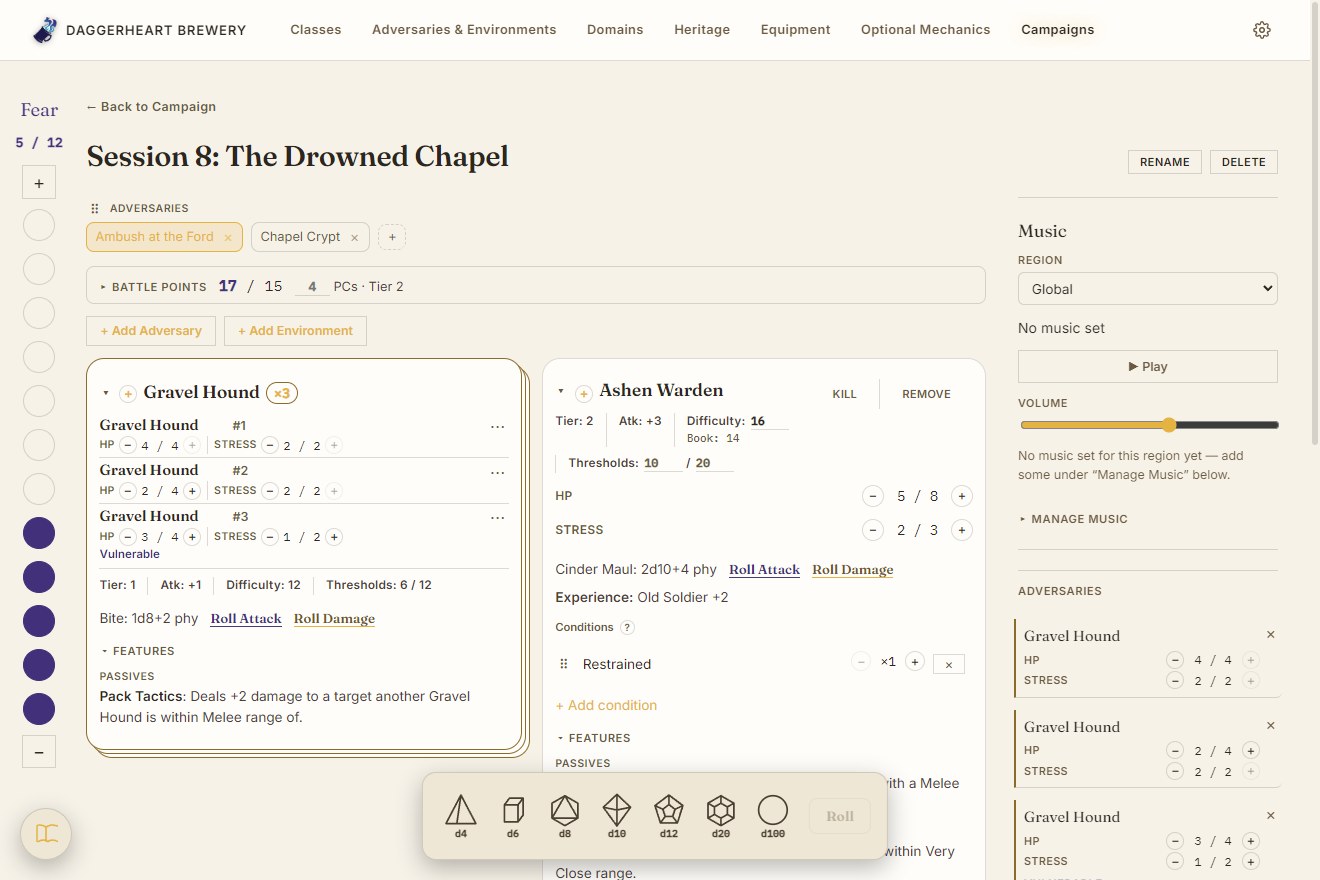
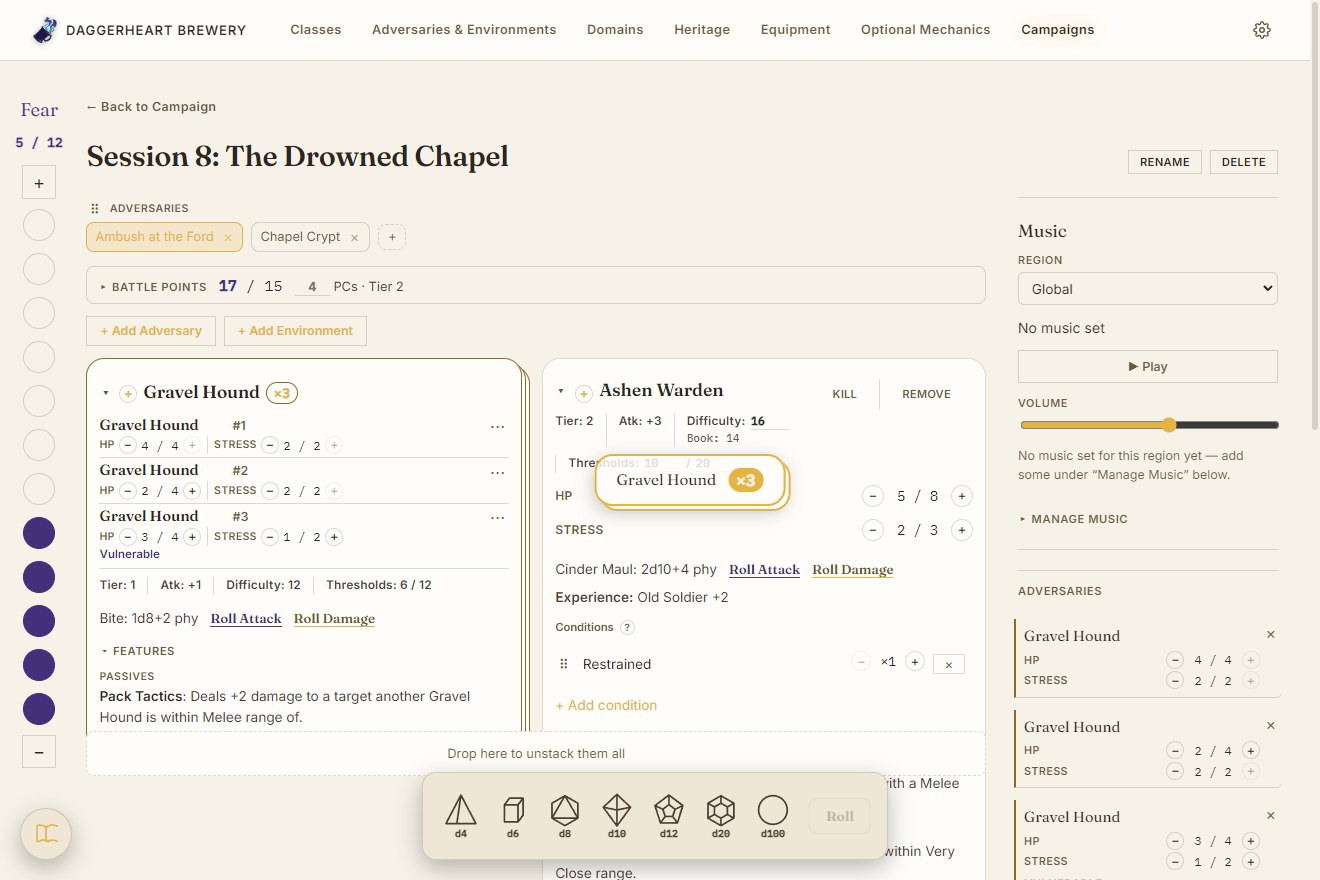
A Session page: the Fear rail down the left edge, two Combat tabs, a Battle Points budget, three Gravel Hounds stacked into one stat block beside an Ashen Warden, and a condensed Adversaries list on the right
A Session: Fear rail, Combat tabs, Battle Points
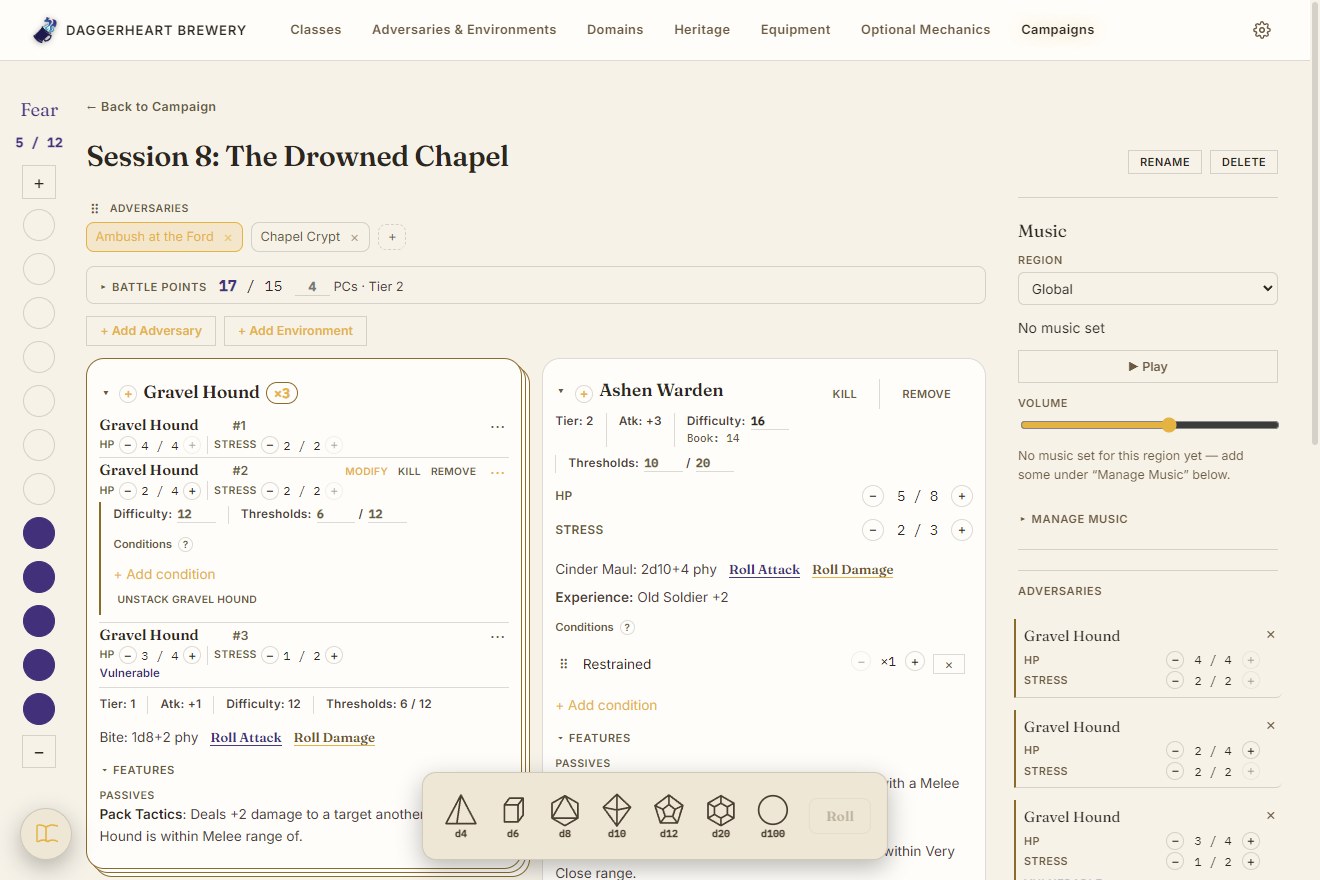
The stacked Gravel Hounds with the second one's actions open: Modify, Kill and Remove, and its own Difficulty, Thresholds and Conditions underneath
A stack: one stat block, a row per Adversary
Mid-drag: an outlined card reading Gravel Hound x3 follows the pointer, with a strip under the board offering to unstack them all
Dragging a stack: an outlined card with its count
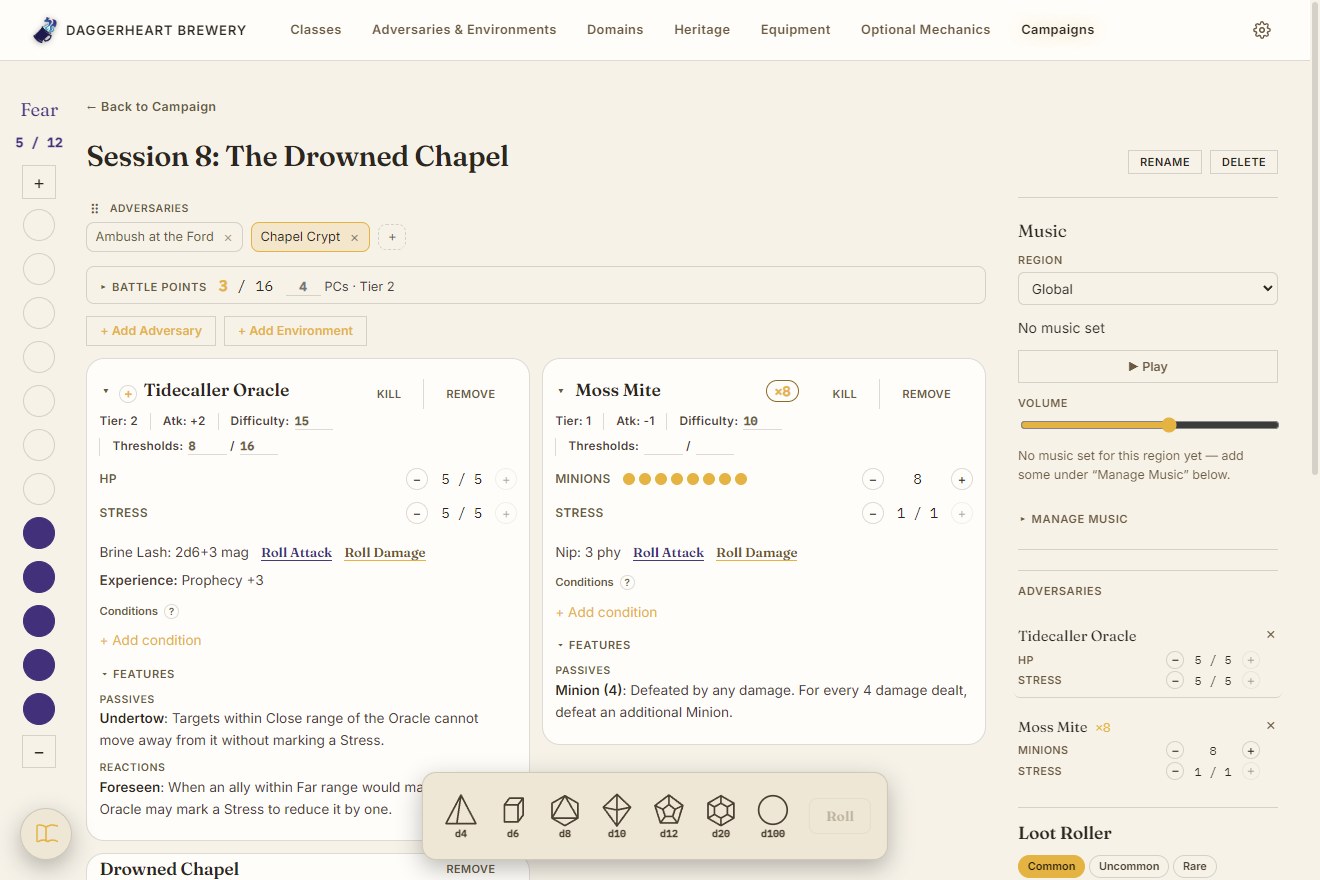
The second Combat tab, Chapel Crypt, with a Tidecaller Oracle, a stack of eight Moss Mite Minions shown as pips, and the Drowned Chapel Environment
A second encounter, prepped on its own tab
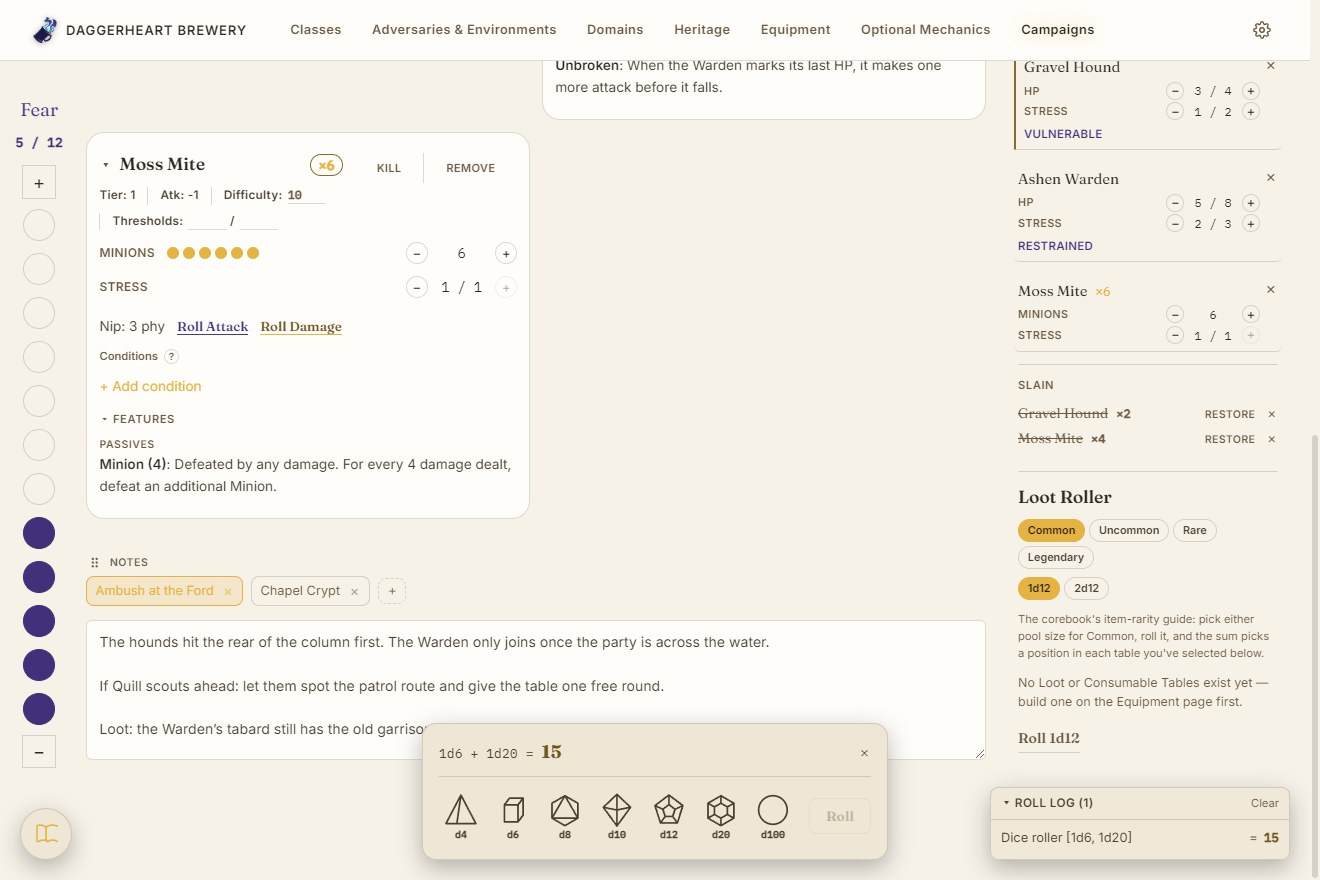
Lower on the Session page: Minion pips, the Slain tally reading Gravel Hound x2 and Moss Mite x4, Notes tabs named after the Combat tabs, and the Dice Tray showing 1d6 + 1d20 = 24 above the dice
Notes tabs, the Slain tally and the Dice Tray
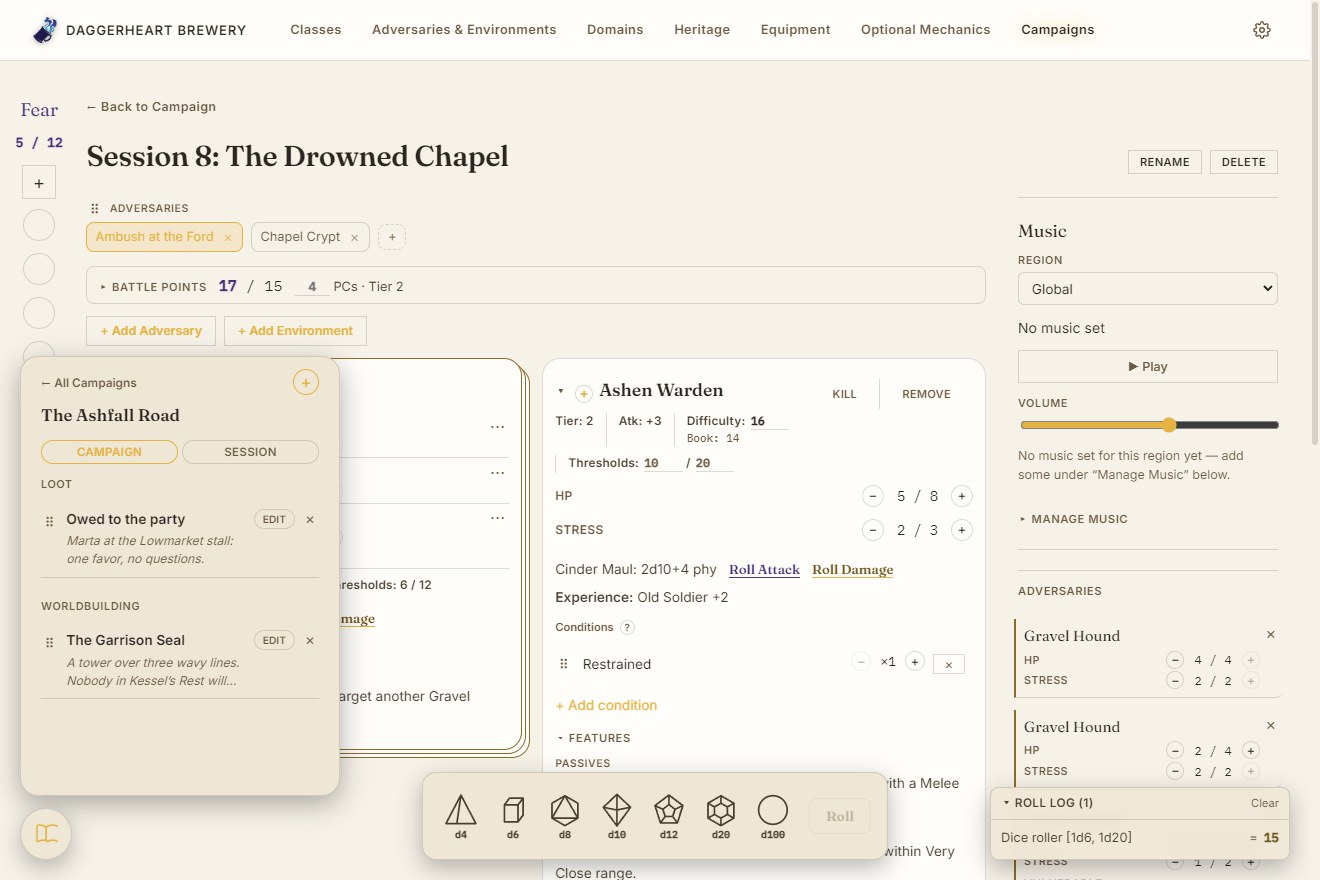
The Journal panel open from its bubble in the bottom-left corner, listing Campaign notes under Loot and Worldbuilding
The Journal, one click away

Run a live session

One page runs the fight. Fear sits on a rail down the left edge, each encounter is prepped on its own Combat tab with a Battle Points budget, and pulling an Adversary in snapshots it so a GM's overrides never touch the book record. Identical Adversaries stack into a single stat block by dragging one across the others, each keeping its own HP and Stress on a row of its own; Minions collapse to a counted stack of pips. The fallen move to a Slain tally, Notes follow the Combat tab of the same name, and a floating Dice Tray and the Journal are always in reach.
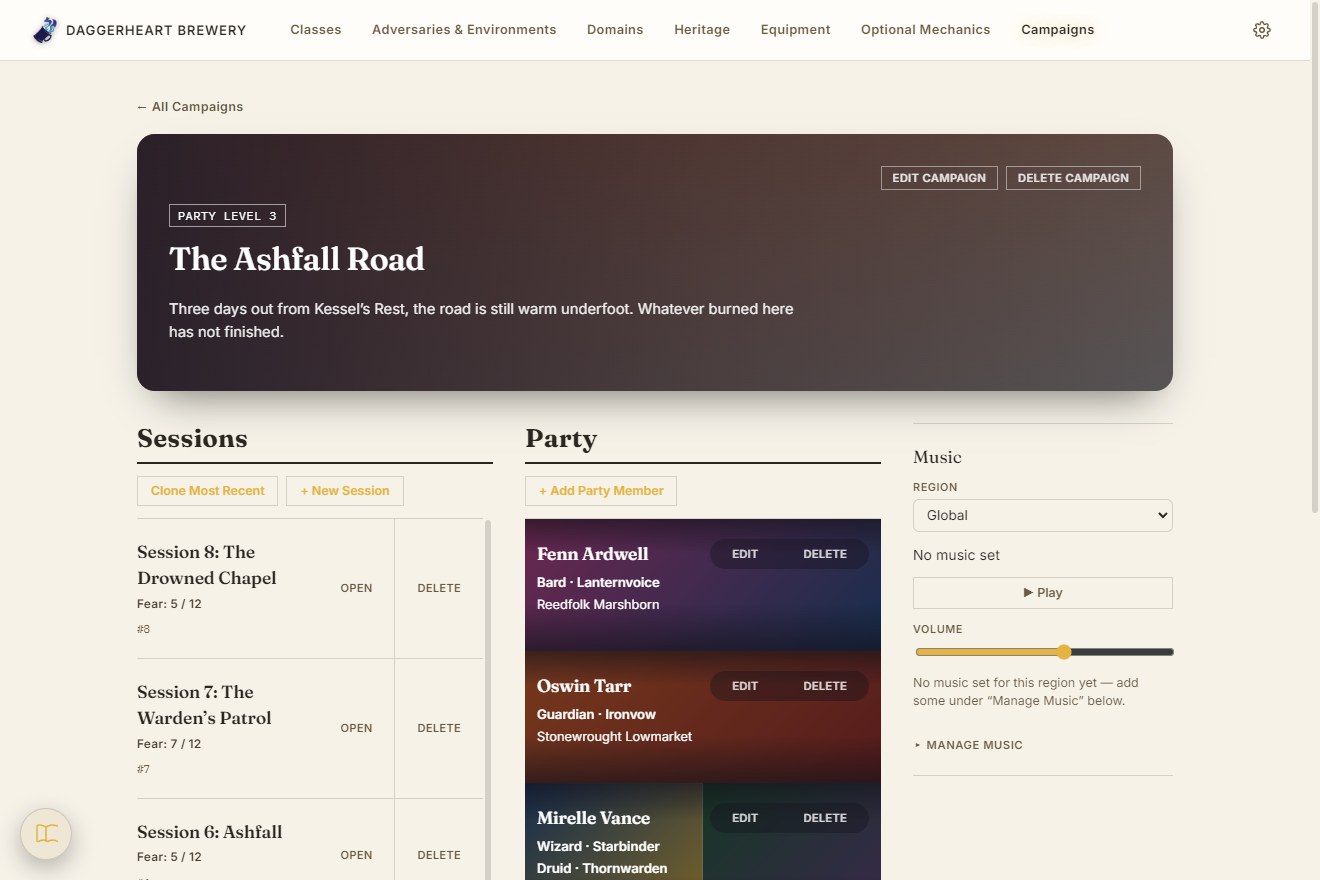
A Campaign page: Sessions in a scrolling column on the left, each with its Fear and number, and the Party on the right with tiles coloured by each Class's two Domains
A Campaign: Sessions on the left, the Party on the right
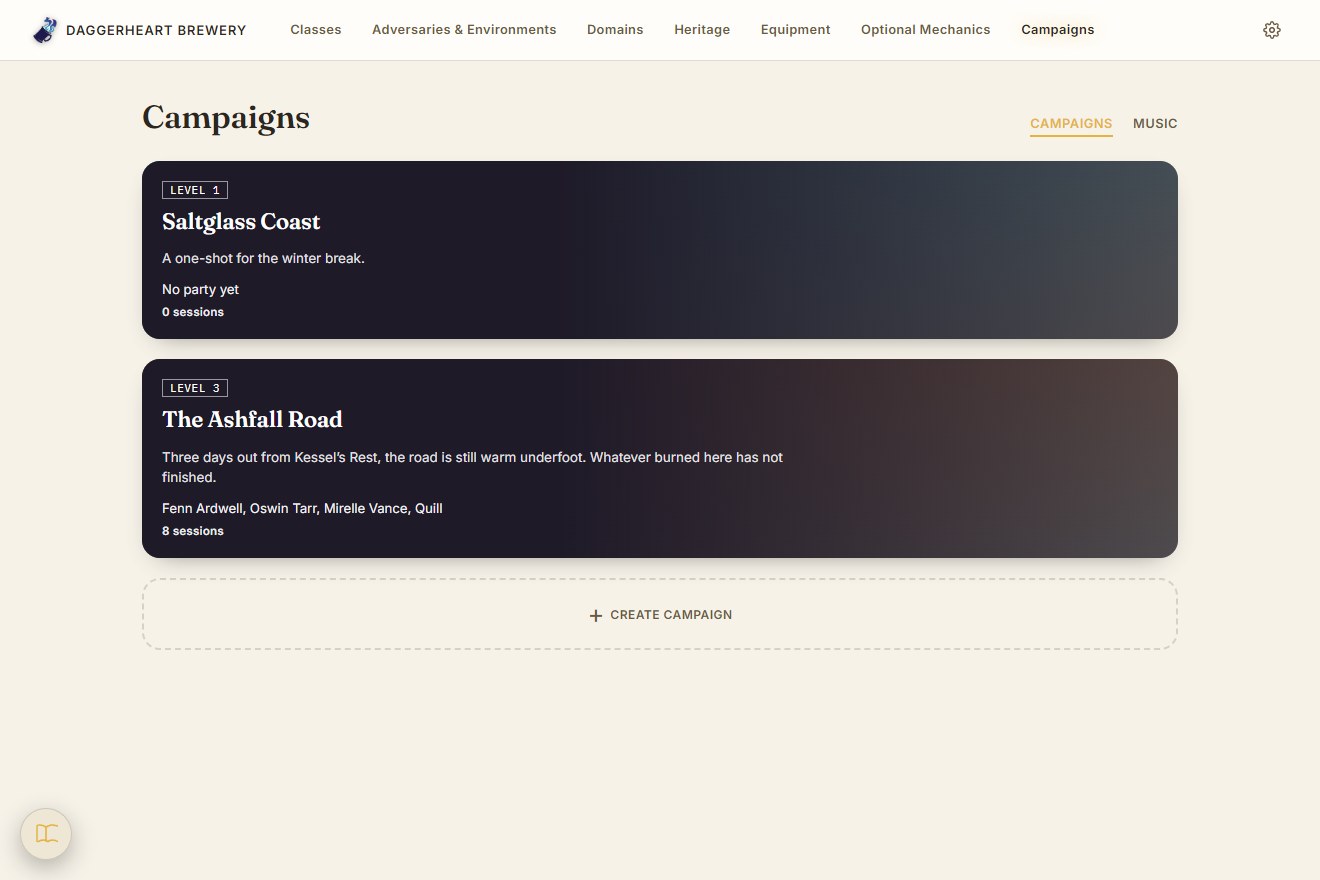
The Campaigns list: two banners, each with its Party level, description, Party members and Session count
Every Campaign at a glance
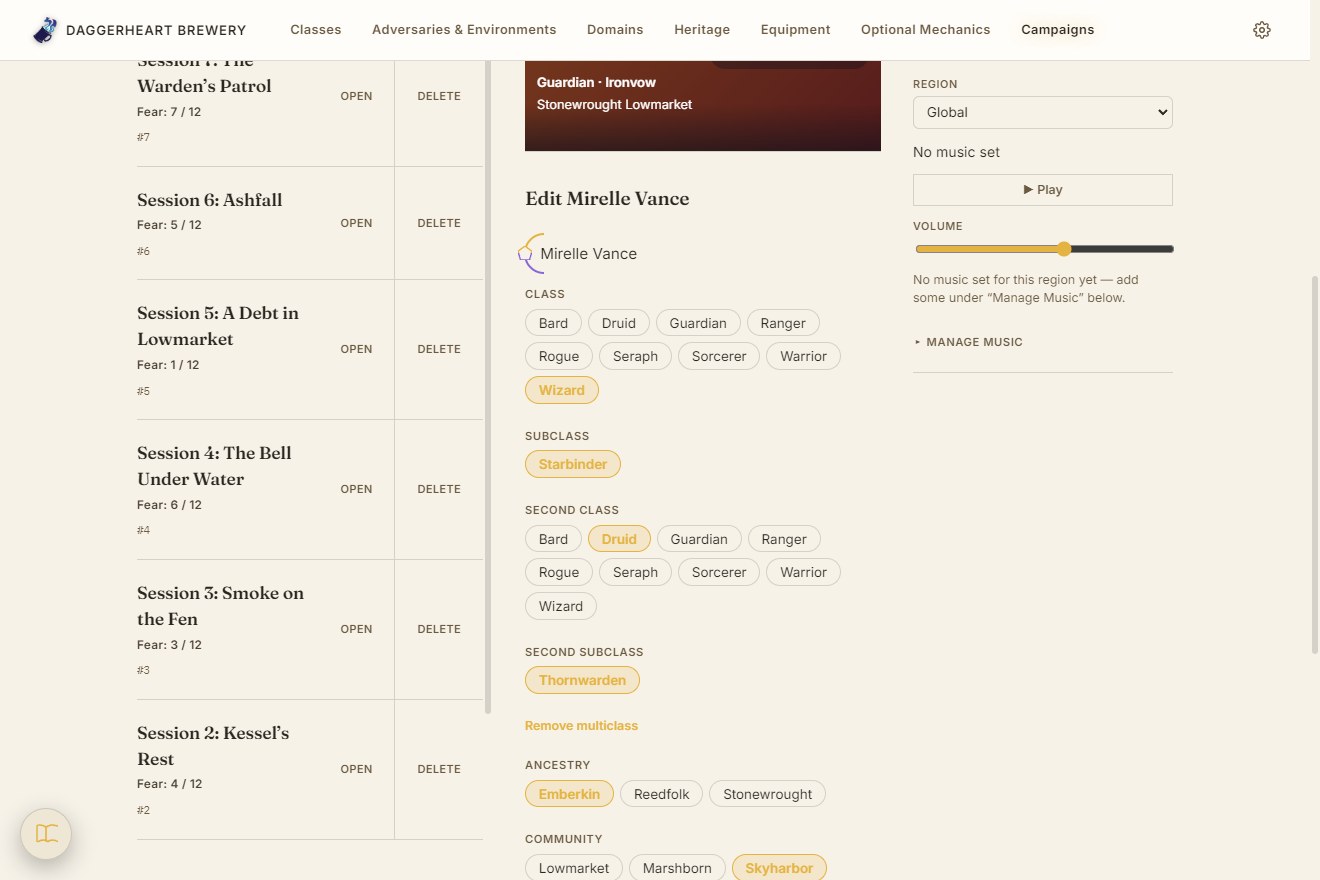
Editing a Party member: labelled rows of chips for Class, Subclass, a second Class and Subclass for multiclassing, Ancestry and Community
A Party member: Class, Subclass and Heritage as chips
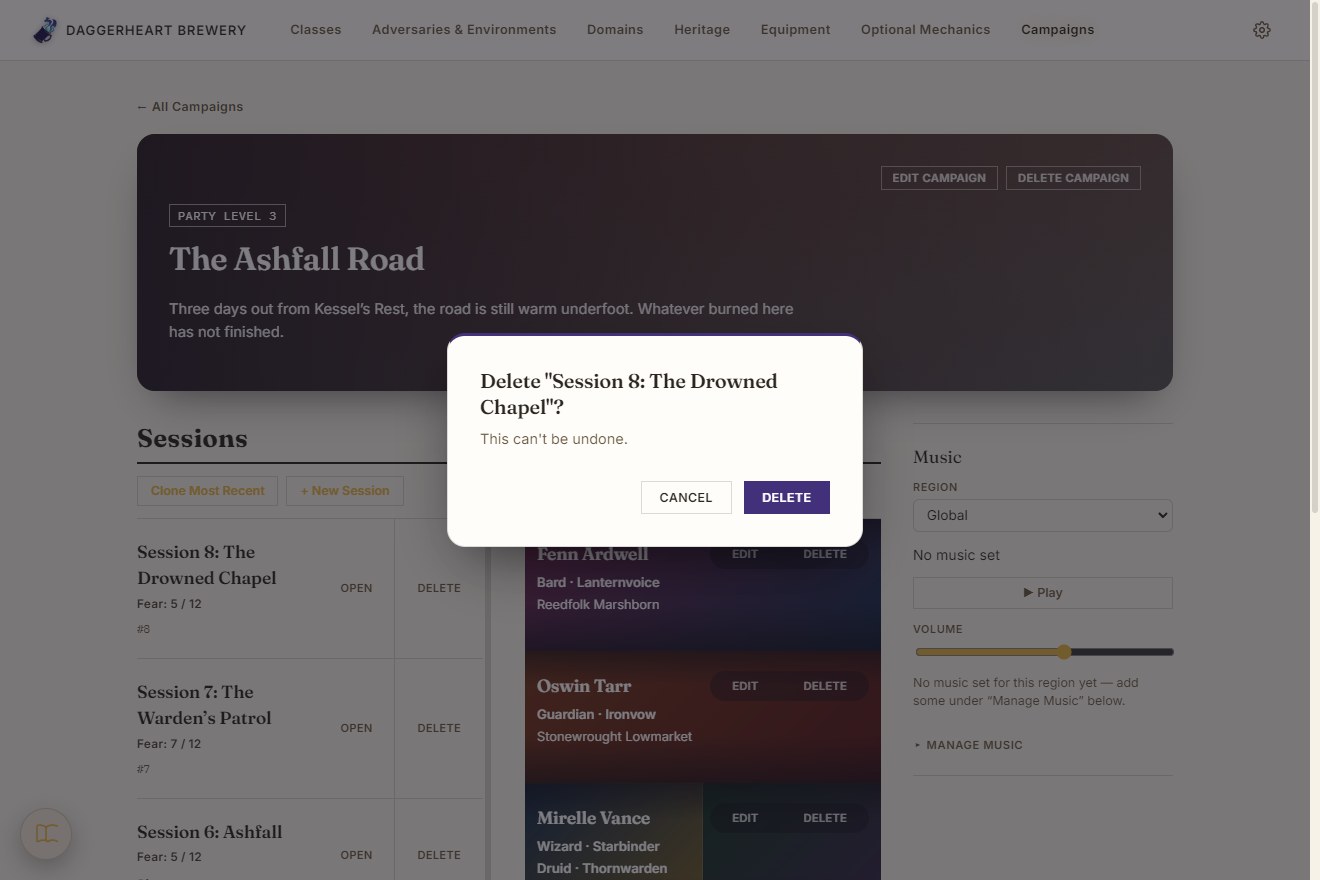
The app's own confirmation dialog over a dimmed page, asking whether to delete a Session, with Cancel and Delete buttons
Destructive actions ask first, in the app's own dialog
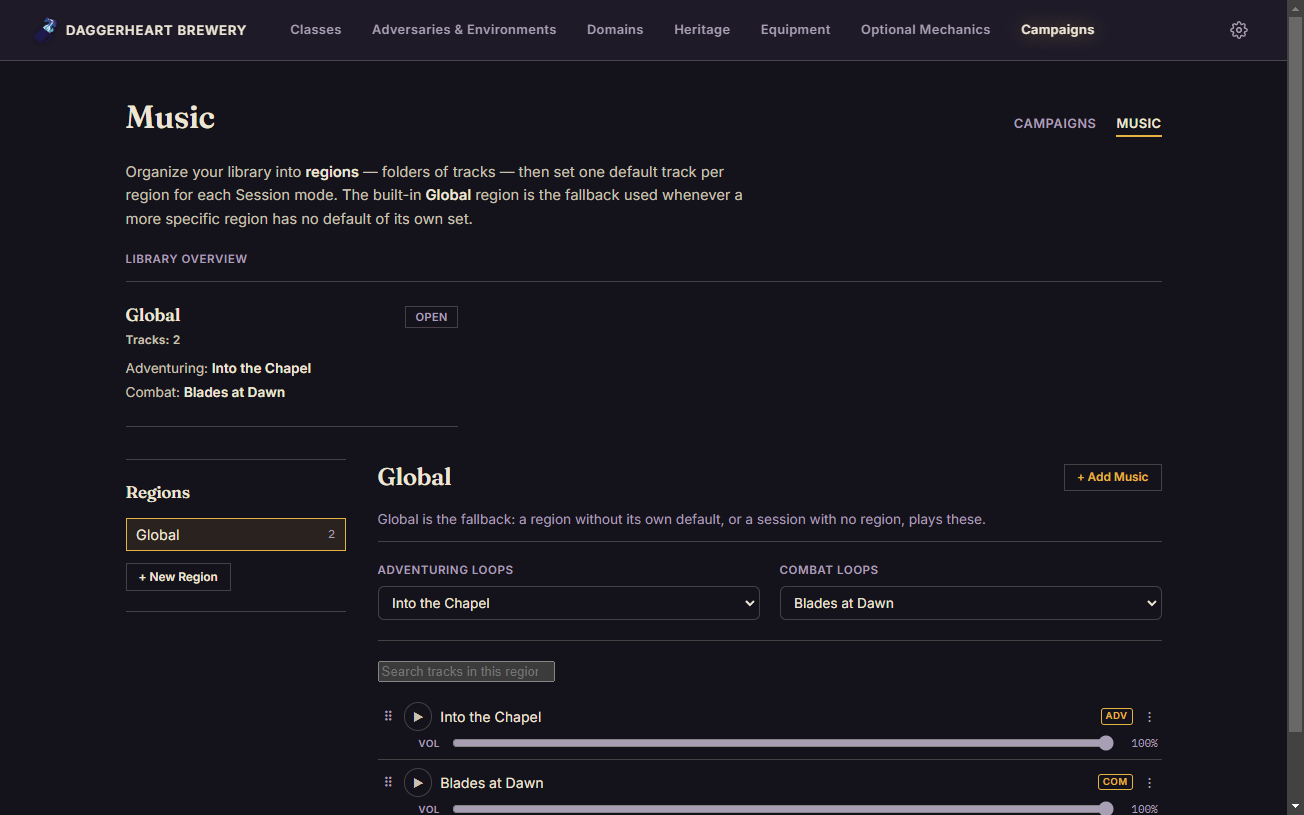
The Music tab: a library overview showing a region's track count and defaults, a region list, and tracks with volume sliders
A per-region music library for the table

Campaigns that carry forward

A Campaign keeps its Sessions and its Party side by side. The Party, the board, Fear and Notes carry from one Session to the next without ever rewriting an earlier one, so Session 3 can change what Session 2 never sees. Party members are a name, a Class and Subclass (two when multiclassed) and a Heritage, on tiles coloured from their Class's Domains. A per-region music library loops a default track for adventuring and another for combat.
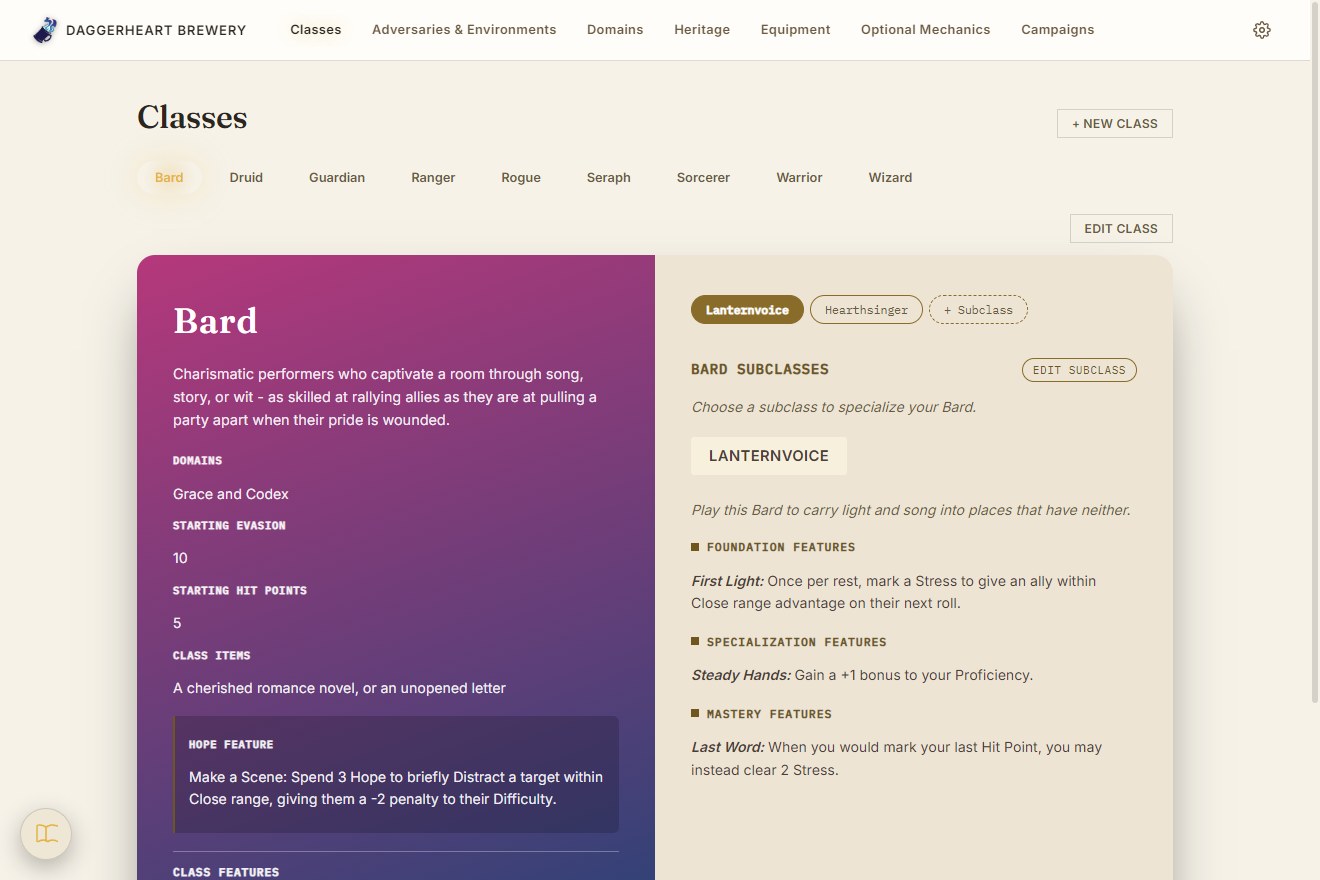
The Classes page: a tab per Class, with Bard selected showing its gradient class sheet beside a parchment panel for its Subclasses
Classes: a book-style sheet, Subclasses alongside
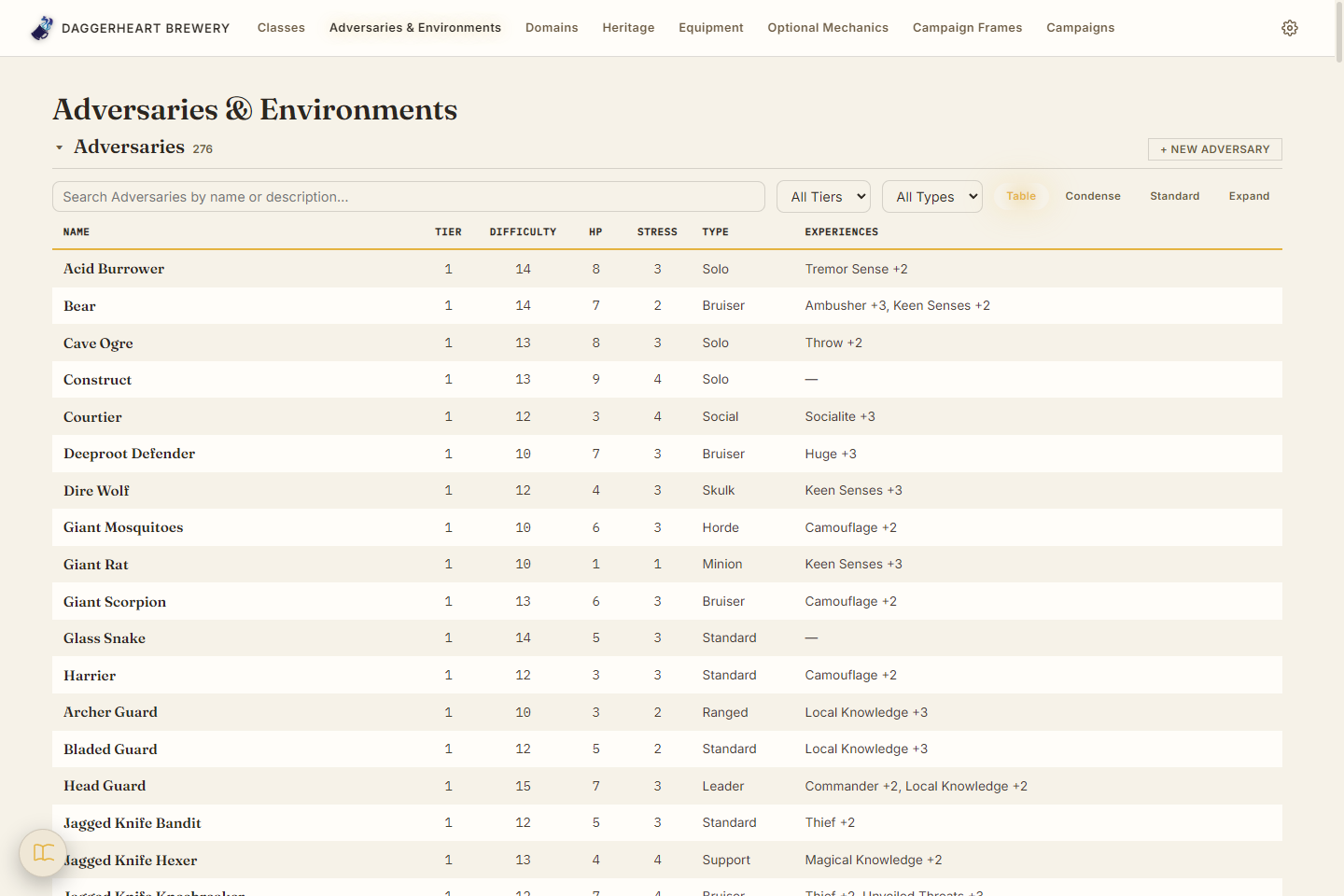
The Adversaries & Environments table, the default view: every Adversary as a dense sortable row of Tier, Difficulty, HP, Stress, Type and Experiences, with a search box and Tier/Type filters above
Adversaries & Environments: a dense reference table
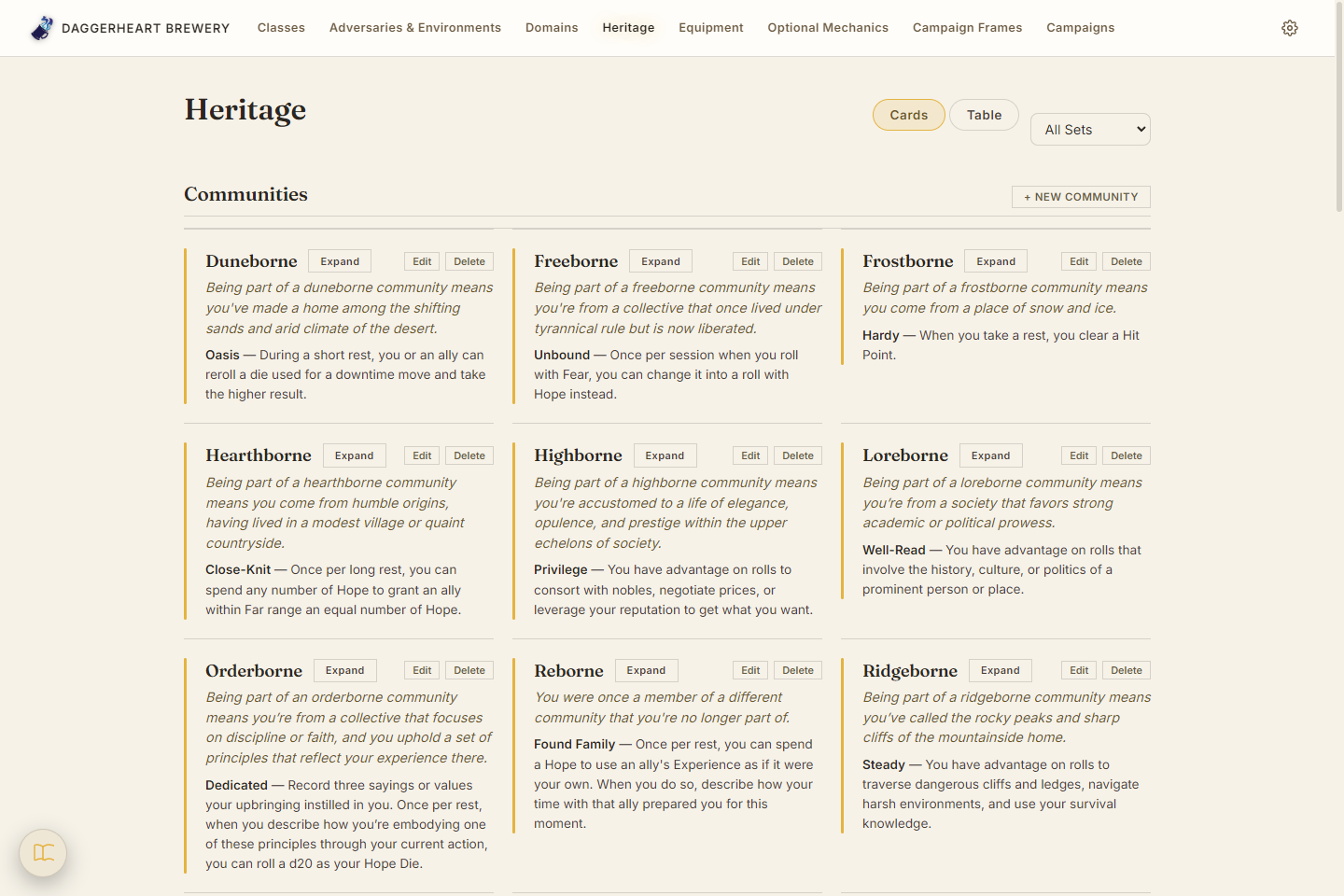
The Heritage page's Communities grid: Duneborne, Freeborne, Frostborne and more, each a card with its flavor text and signature feature, with a Cards/Table switch above
Heritage: Communities and Ancestries as flavor-text cards
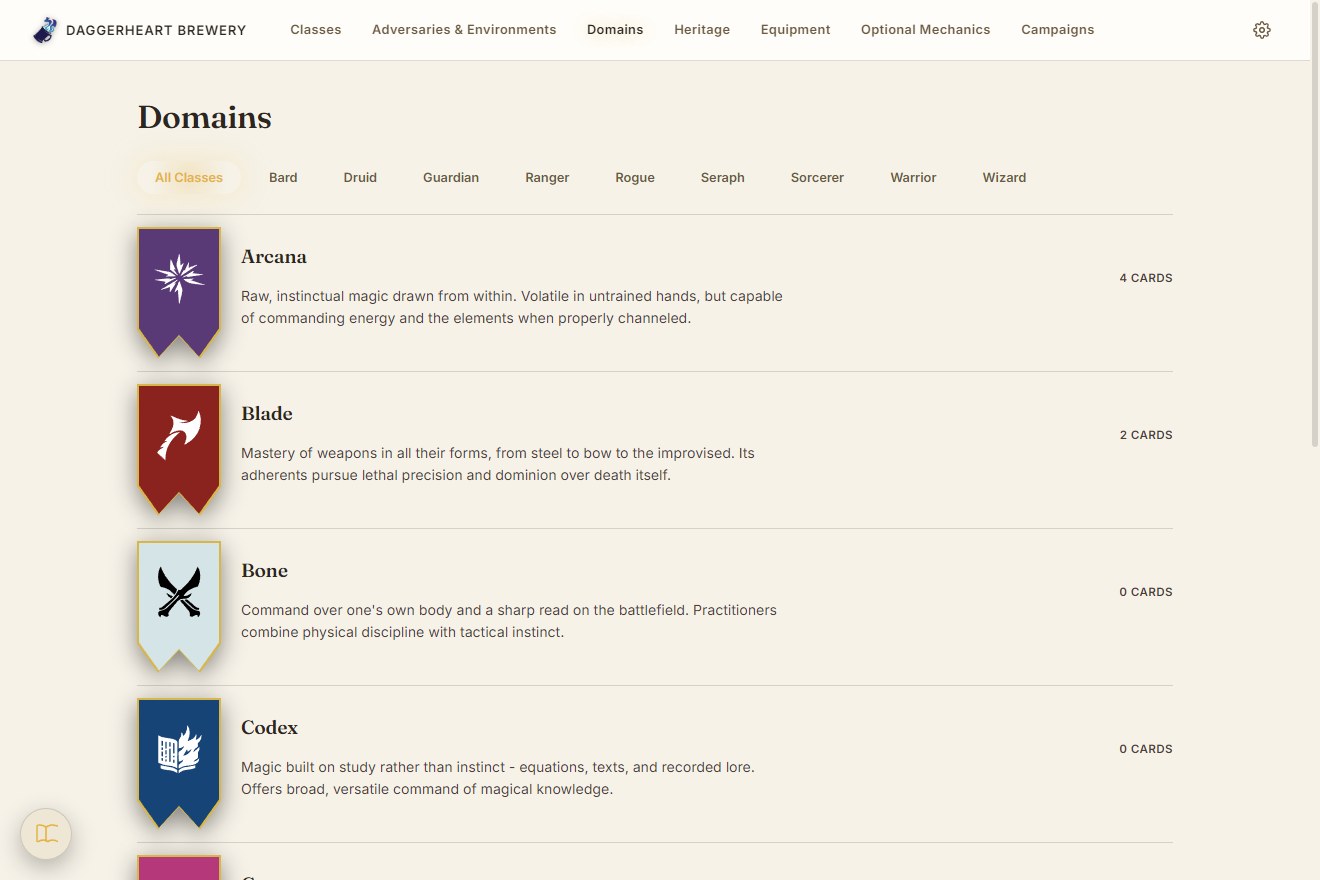
The Domains page listing Arcana, Blade, Bone and Codex, each with a pennant icon and its card count
Domains, filterable by Class
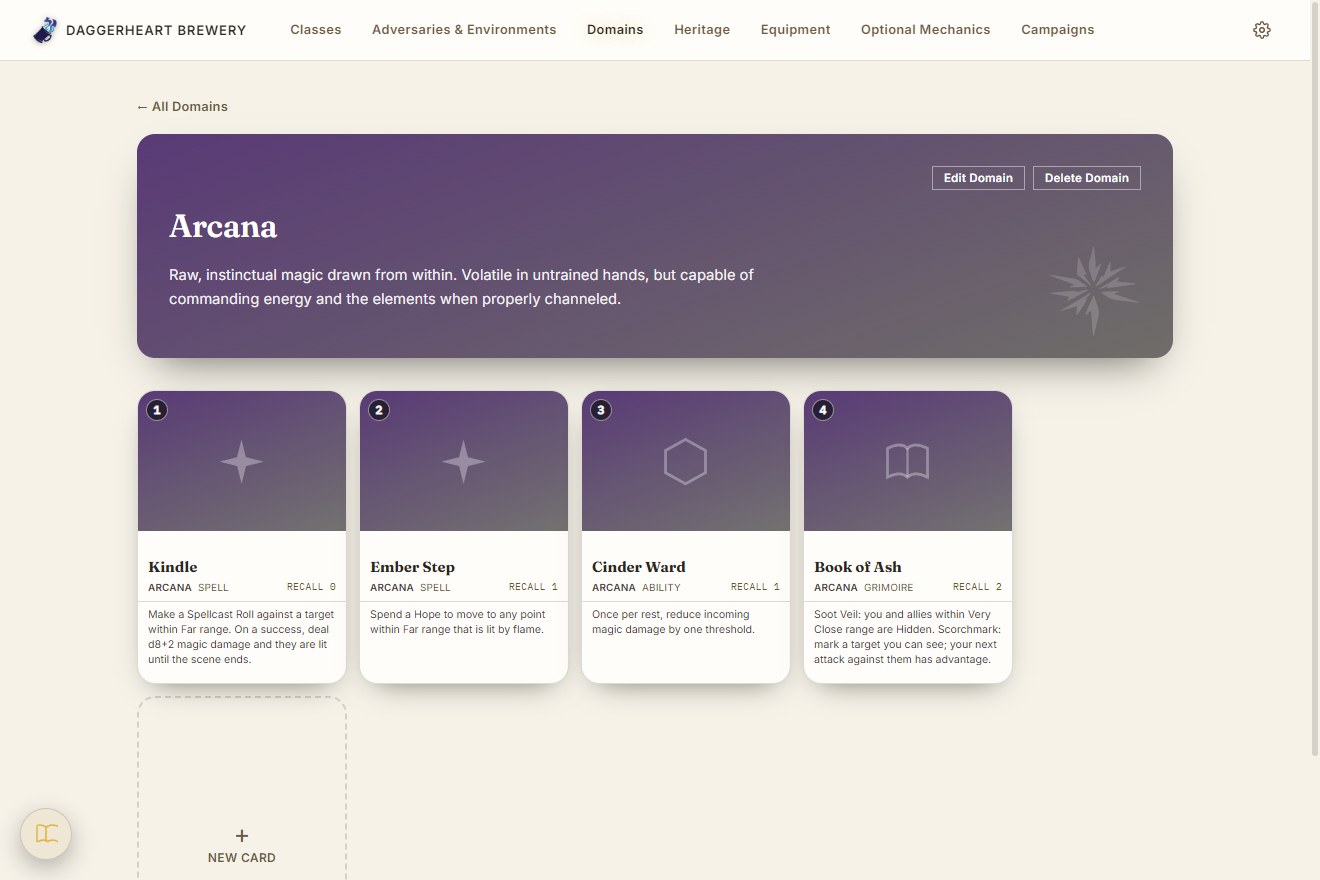
The Arcana Domain page: four card-shaped tiles with level, type, recall cost and rules text
A Domain's cards, as cards

Author every content type

Classes, Subclasses, Domains and their Cards, Adversaries, Environments, equipment and Heritage are all built with the same validated forms. Adversaries and Environments browse as a dense tile gallery with search and Tier filters, and selecting one opens a parchment stat block modeled on the printed layout, ready to export as a PNG.

Screenshots show a made-up demo campaign: the adversaries, subclasses, heritage and card text are invented for the page, not published book content. Scroll each window sideways for more, and click a screenshot to open it full size.

What it does

Author every content type

Classes, Subclasses, Domains and Domain Cards, Adversaries, Environments, Weapons, Armor, Loot, Ancestries, Communities, and more — each with real validation (a Secondary weapon can't be Two-Handed; a Class's two Domains must differ).

Book-style stat sheets

Adversaries and Environments render as a parchment stat block modeled on the printed layout, and export to a PNG in one click. Browse them as a dense gallery, a spotlight view, or full-size sheets.

Run a live campaign

Campaigns whose party, board, Fear, and notes carry from one session to the next without ever rewriting an earlier session. Adversaries are pulled in as independent live copies with HP/Stress tracked as marked boxes, identical ones stack into a single stat block by dragging, and a loot roller reproduces the rulebook's rarity dice mechanic. A per-region music library loops a default track for adventuring and for combat.

Built to be extended

Feature sections (Passives, Actions, Reactions, Evolutions…) are data-driven: a new rules element is one line in a registry, and a homebrew system can add its own sections straight from the editor.

How it's built

Architecture Local-first, no backend. The app began as Electron plus a Spring Boot/SQLite service and was deliberately re-architected: a single JSON file owned by Electron's main process is the whole database, exposed to the UI over a narrow contextBridge IPC API. Chosen so the same data layer could later back a React Native client, which can't embed a JVM.
UI React 18 + TypeScript with types enforced from the store's shapes through the IPC bridge to the components. Plain CSS with design tokens; light/dark theming is two value sets under the same variable names.
Data layer A makeCollection() factory gives every content type idempotent-by-name create, PATCH-semantics update, and per-type validation. Where the factory doesn't fit (a session can pull the same adversary in twice), the collection is hand-written rather than forced through it. Anything that follows a campaign is stored as per-session versions, not copies, so an edit in session 3 never touches session 2.
Testing 350 Vitest unit tests on the store's CRUD, validation, and carry-forward rules, and 125 Playwright end-to-end tests that drive the real Electron app against throwaway data directories, so nothing ever touches a user's real data.
Packaging electron-builder produces a real NSIS installer, and the app updates itself through electron-updater behind a small state machine that always asks before downloading. Shipping it meant debugging a blank window in the packaged build (absolute asset paths under file://) and an OneDrive sync lock that broke the build inside a synced folder.

Try it

Windows installer, no account or internet needed. Your data is one JSON file on your machine.

Download for Windows → Read the full write-up

Latest release: v1.8.9

The installer isn't code-signed, so Windows SmartScreen may warn you: choose "More info", then "Run anyway". It ships without any published book content. Unofficial fan project; Daggerheart is a trademark of Darrington Press.

Version history